Showing posts with label Camera. Show all posts

Wednesday, January 23, 2013

0 PhotoWonder 2.0.9


v2.0.9 update:
2.0.8 Updates:
1.Fixed the problem of eye enlarging function;
2.Optimized the interaction process of intelligent beauty to make it more easier to use.
3. Enhanced the stability of the app.
Overview:
PhotoWonder is a fun app to edit pics on mobile.
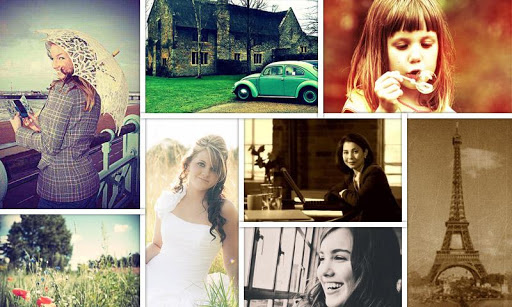
•Effects camera: With real-time effects, it can help to take artistic photos!
Effects camera can provide classic effects and makes it easier for you to take beautiful pictures.
• Make cool collage pictures
• Amazing effects like LOMO, BlueTone and Ageing
• Lovely stickers and frames
• Enlarge eyes and smooth skin easily
• Share photos with the world
• See editted pics by Review button
Five star us if you like PhotoWonder, please!


Tuesday, January 22, 2013

0 Snap Camera 1.2.001

v1.2.001 update:
1.2.2:
Add option to change preview size
Fix first shutter sound in fast picture mode
1.2.1:
Allow /storage/sdcard1 for external sd card on some devices.
If flash is on, torch will be used during video recording.
New "Fast Picture" option instantly captures photos at the preview resolution.
Overview:
Camera app based on the camera included in Android 4.2 (jelly bean) on the Nexus 4.
The best possible camera experience with regular updates and new features added all the time.
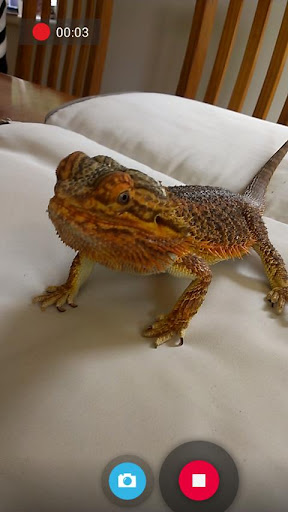
Take pictures and record video with a single click, no cluttered preview screen, just the two buttons you really need.
Snap has a simple, powerful user interface. Touch to focus, pinch to zoom, swipe to review and long press for photo settings. The photo controller includes settings for colour, contrast and sharpness (if supported by the hardware). The additional settings menu gives you access to: Picture and Video Size, Scene mode, Self Timer, Burst Mode, Time Lapse, Still and Video Focus Modes, JPEG Quality, Effects, ISO and Anti-banding.
The photo editor lets you add colour effects, borders, crop, rotate, mirror and straighten. You can also choose image effects, histogram modification and vignette. Undo an effect at any time from the history menu.
Share an image with any other app such as Facebook or Google+ by clicking on the share icon.
Fast picture mode instantly captures photos at the preview resolution.
Snap works best on newer phones but will still run on older models.
The extra settings on the controller menu are only available on phones that support them. Most phones based on Qualcomm hardware do support these options but most others do not.
Camera apps are notoriously difficult to make compatible with all hardware. If it doesn’t work, please don’t rate the app badly, let us know and we will try to fix it.
Please post bugs and suggestions on the XDA thread for this app by clicking on "Visit Developer’s Website" below.
Check out our great video to see Snap in action.
Code:oUzvWgFW


Tuesday, January 15, 2013

0 Transparent Wallpaper Camera


transparent wallpaper camera

Application get video from camera and set as wallpaper. If you want special video effects please check paid version.

copy and paste this url and tab in address bar in your browser
http://www.appsapk.com/wp-content/uploads/downloads/live-wallpapers/transparent%20wallpaper%20camera.apk

Tuesday, December 25, 2012

0 Camera FV-5 1.38

Current Version: 1.38
Requires Android: 2.2 and up
Category: Photography
v1.38 update:
- New: brand-new long exposure algorithm that replaces the old one. Now photos have unmatched sharpness, rich colors and light saturation is completely controlled.
- New: Dutch language. Thank Rodolfo de Vries for your help!
- Fixed: flash not firing in long exposure mode. Available flash modes have also been updated in this mode.
- Fixed: crash after custom storage folder selection.
- Improved: image parameters (contrast, saturation and sharpness) available to more devices.
Overview:
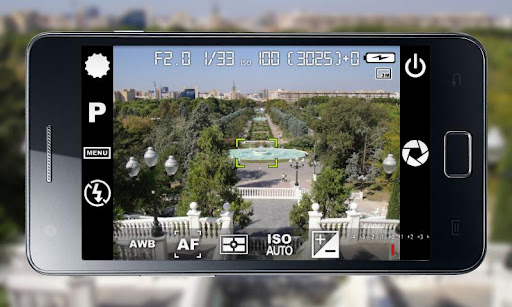
Camera FV-5 is a professional camera application for mobile devices, that puts DSLR-like manual controls in your fingertips. Tailored to enthusiast and professional photographers, with this camera application you can capture the best raw photographs so that you can post-process them later and get stunning results. The only limit is your imagination and creativity!
Major features:
• All photographic parameters are adjustable and always at hand: exposure compensation, ISO, light metering mode, focus mode, white balance and program mode.
• DSLR-like viewfinder display: see exposure time, aperture and stops display with EV and bracketing settings.
• Full fledged exposure bracketing: from 3 to 7 frames, unlimited stops spacing, plus custom EV shifting.
• Built-in intervalometer: make stunning timelapses (even bracketed/HDR timelapses) and time-controlled picture series.
• Program and Speed-priority modes.
• Long exposure support: take beautiful night photos and light trails with long exposure times up to 30 seconds*.
• JPEG as well as PNG** image formats for lossless photo capturing, perfect for post-processing.
• All camera functions assignable to volume keys. You can adjust EV, ISO, color temperature and more using volume keys. Devices with hardware camera shutter key are also supported.
• EXIF and XMP sidecar metadata support.
• Self timer for delayed shooting.
• Autofocus, macro, touch-to-focus*** and infinity focus modes, plus a focus lock switch (AF-L).
• Autoexposure (AE-L) and auto white balance (AWB-L) locks in Android 4.0+.
• In background photo developing and processing allows a smooth, uninterrupted camera operation.
• Digital zoom using multitouch pinch gesture. Also shows 35mm equivalent focal length!
This camera application completely avoids scene modes, instead you get full manual control over all photographic parameters, just like you do with a reflex camera, so you can ultimately control every aspect of the picture, and leave the post-processing to the computer. So after your DSLR, you will never miss a photo opportunity again, being able to capture it with the closer sensation to your DSLR as possible.
IMPORTANT: If you find a bug using the application, PLEASE, visit the web page http://www.camerafv5.com or write to camerafv5@flavionet.com with your phone model name and the description of the problem, before writing a negative comment (developers cannot reply to Google Play comments). Customer satisfaction is my priority, and I will do my best to fix the issues as soon as possible!
Connect with Camera FV-5 and stay always up to the latest information about current and future development. Visit the official website http://www.camerafv5.com, be a fan of http://www.facebook.com/CameraFV5, subscribe to http://www.twitter.com/CameraFV5 or watch tutorials at http://www.youtube.com/user/camerafv5.
* Long exposures lowers picture resolution to 2 or 1 MP, depending models. The reason is explained here: http://www.camerafv5.com/faq.php#long-exposure-resolution
** Lossless PNG saving is a memory intensive operation. Some devices might need to raise the memory limit for Camera FV-5 to save PNG pictures. See the FAQ here: http://www.camerafv5.com/faq.php#png-memory
*** Touch-to-focus available for Android 4.0+ devices. Under Android 2.x, available only on Motorola, HTC and Nvidia camera drivers, plus some Samsung drivers and other phones.
Code:N6j9ixvQ

Tuesday, December 18, 2012

0 Vintage Camera 3.5

Current Version: 3.5
Requires Android: 2.2 and up
Category: Photography
v3.5 update:
No recent changes.

Overview:
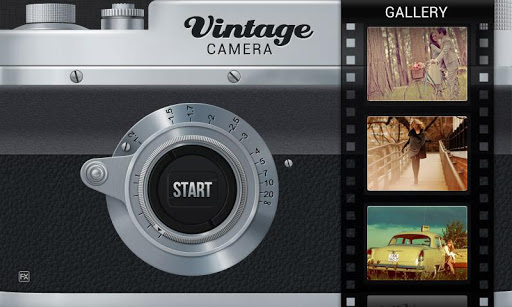
Vintage Camera – Retro photo effects!
Everyone loves vintage photo effects, vintage camera lets you capture live photos with numerous photo effects! You can save the photos instantly and share via a number of social networks.
Presenting a revolutionary vintage style camera which lets you create beautiful old age camera effects without any efforts. Capture those special moments and give them the warmth they deserve with this awesome camera app. Create great photo effects and share your edited pictures with your friends. Take pictures like a professional photographer and provide amazing camera effects to your pictures.
###Be an expert photographer, naturally!!###
###Loads of awesome camera effects!!###
The most awaited camera effects app is finally here.
Download vintage camera and give a vintage retro style look to your photos. Impress your friends , build in your own photo library with professional camera effects.
Cool old-style retro vintage camera effects couldn't be achieved easier than this. Best instant frame capture application. Create vintage old-style retro beautiful photo frame effects with this awesome camera app ever.
FEATURES :
>> Create amazing retro style camera effects with vintage camera.
>> Save your photos with cool camera effects .
>> Share your photos with awesome camera effects.
>>Easy to use and very light-weight on phone.
So what are you waiting for? Just hit download and have loads of camera effects right in your simple camera.

0 Instant Camera 1.55

Current Version: 1.55
Requires Android: 2.2 and up
Category: Photography
v1.55 update:
fixed some small bugs.
reminder:
*If you like it, Rate it!!! That's all we ask to keep it going. It is simple as well, rate it, it will have more features, no rating, it will die.
version 1.6
brightness
version 1.7
can use high resolution
Overview:
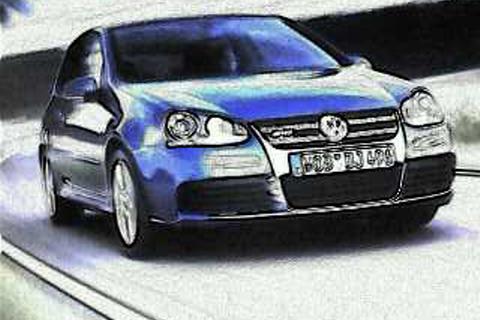
*72* different coolest effects from your camera instantly! 72?? No worry it is as easy as Temple Run!
*user guide
Swipe up and down to change color mapping
Swipe left and right to change texture
Fast access through left bottom color menu!
Facebook: http://www.facebook.com/AspirationStudio
“Instant Camera is free, ad-free and offers 54 different effects and photo filters- what's not to love about that?” – androidtapp
“It 's quick, easy and efficient, what more could we desire?” – chimerarevo
“top 10 hottest app in photography” – appbrain
“ومن التطبيقات المثيرة للإعجاب في متجر "جوجل بلاي" الخاص بأجهزة الاندرويد هو تطبيق Instant Camera المجاني الذي يقدم القدرة على التقاط الصور وإضافة مؤثرات مميزة فورا، وبعدد يصل إلى 54 ميزة مختلفة”-arbandroid.com
“Free Combine The Special Effects for Your Camera Is Simple & Instant Here!”-AppEggs.com
list of features
-real time
-super small just 127kb!!!
-easy to use addictive swipe control
-18 different color maps
-4 different texture
-freedom to combine any color map with any texture
-auto orientation of the buttons
-zoom in zoom out
-pictures can be discarded
-works like the old instant camera, you will see what you get instantly, no need to access the gallery
-easy share to social networks
-full screen! keep the ratio of your screen.
-can adjust texture details.
-install on sd card


Kadublicek Copyright © 2011 - |- Template created by O Pregador - |- Powered by Blogger Templates